

Choosing the right Display Screen can shape how customers notice, understand, and remember your business. A bright screen beside a sunlit shop window needs different features from one mounted in a quiet meeting room. Size matters, but it is only part of the decision. You also need to consider viewing distance, ambient light, content, operating hours, and how often the display will be updated.
Start with the job the screen must do. A menu board may need clear text and easy content changes, while a reception display might prioritize a polished image and reliable daily operation. Check resolution against screen size and viewing distance; extra pixels are not always useful from across a lobby. Compare brightness, connectivity, mounting options, warranty terms, and expected maintenance. Ask suppliers for specifications in writing, then view the screen in lighting similar to your own space. Small details count. Glare can wash out a message. A remote control may be inconvenient when the screen sits high on a wall.
Budget for more than the purchase price. Installation, content software, energy use, and replacement parts can affect long-term value. There is no single best screen for every business, and product claims deserve careful checking. I would not choose from a brochure alone. Match the display to real tasks, test it where possible, and leave room to revise your plan. The right choice should make information easier to see—not simply add another bright object to the room.
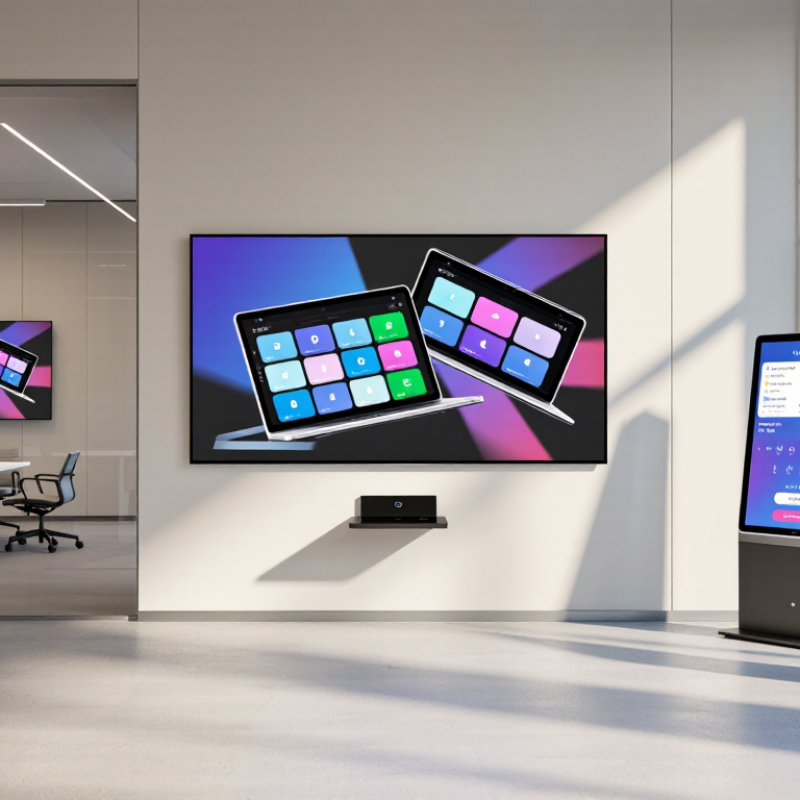
A display screen is more than a bright surface on a wall. It can guide visitors, explain a service, or share timely information with staff. Its value depends on what people need to understand at that moment. A screen near reception might show room directions, while one beside a product display can clarify features without requiring a salesperson nearby. Keep the message readable from the actual viewing distance. Small text that looks fine on a laptop may disappear across a busy lobby.
The role of business displays is growing alongside digital out-of-home advertising. The IAB’s 2023 Internet Advertising Revenue Report recorded U.S. digital out-of-home revenue of about $2.9 billion, up 11.6% from 2022. That figure reflects advertising investment, not proof that every screen improves business results. A 2009 Arbitron study found that 70% of surveyed Americans recalled seeing a digital place-based video screen in the previous month; 47% recalled an advertisement on one. The findings are useful context, but they are dated and may not represent every audience or setting.
Start with the task, not the hardware. A screen used for changing promotions may need easy content updates; a wayfinding display needs clear layouts and dependable operation. Think about glare from windows, viewing angles, and whether people pause or keep walking. Then measure outcomes, such as fewer repeated questions or more visitors reaching a service desk. Not every message belongs on a screen. Some do.
| Display Type | Typical Brightness | Best-Suited Business Use | Key Advantages | Points to Consider |
|---|---|---|---|---|
| Indoor LCD or LED-backlit LCD | Approximately 250–500 cd/m² | Offices, meeting rooms, classrooms, and indoor information displays | Clear images in controlled lighting; widely available in a range of sizes and resolutions | Strong ambient light or direct sunlight can make content harder to see. Confirm operating hours and warranty terms for commercial use. |
| Commercial high-brightness display | Often approximately 500–1,000 cd/m², depending on model | Bright retail areas, transit facilities, and spaces with substantial ambient light | Improved visibility in brighter indoor environments; commercial models may support extended operating schedules | Higher brightness can increase power use and heat. Match the specification to the actual light levels and viewing distance. |
| Outdoor digital signage display | Often approximately 1,500–3,000 cd/m² or higher | Outdoor advertising, storefronts, transport information, and exposed public areas | Designed for visibility in daylight; outdoor-rated units may include weather protection and temperature management | Check the specified ingress-protection rating, temperature range, sunlight readability, ventilation, and local installation requirements. |
| Interactive touchscreen display | Commonly approximately 300–500 cd/m² | Self-service kiosks, collaborative meeting rooms, wayfinding, and customer check-in | Enables direct user input and can combine instructions, forms, and interactive content on one screen | Choose a suitable touch technology and screen size. Plan for accessibility, cleaning, network security, and regular software updates. |
| Video wall | Varies by panel; commonly about 500–1,000 cd/m² for indoor installations | Control rooms, large venues, corporate lobbies, and high-impact retail presentations | Creates a large-format canvas from multiple panels and can show one image or several content zones | Consider bezel visibility, panel alignment, viewing distance, mounting structure, heat, and the processor needed to manage content. |
| OLED display | Varies by panel and content; check the manufacturer’s specifications | Premium retail presentations, reception areas, and spaces where deep blacks and contrast matter | High contrast and wide viewing angles; individual pixels can switch off to produce black | Assess brightness for the room, expected daily runtime, static-content exposure, and the manufacturer’s guidance on image retention. |
| E-paper display | Reflective technology; typically specified for ambient-light readability rather than backlight brightness | Price labels, schedules, room signs, and low-refresh information displays | Low energy use when content changes infrequently; remains readable in many well-lit settings | Refresh is generally slower than on video displays, and color, update speed, and low-light visibility depend on the specific device. |
Selection note: Brightness figures are indicative ranges, not universal standards. Compare measured specifications for the exact model, and consider viewing distance, ambient light, content type, operating hours, connectivity, and total installation cost before purchasing.